Amada
Control Type: FANUC-based (various series, including AMNC-3i)
Special Considerations:
- Amada machines often have custom parameter sets
- Part counting may use Amada-specific M-codes
- Check with Amada for recommended configuration
- Nearly always have their own internal network for peripheral devices
Accessing FANUC Settings on AMNC-3i Controls
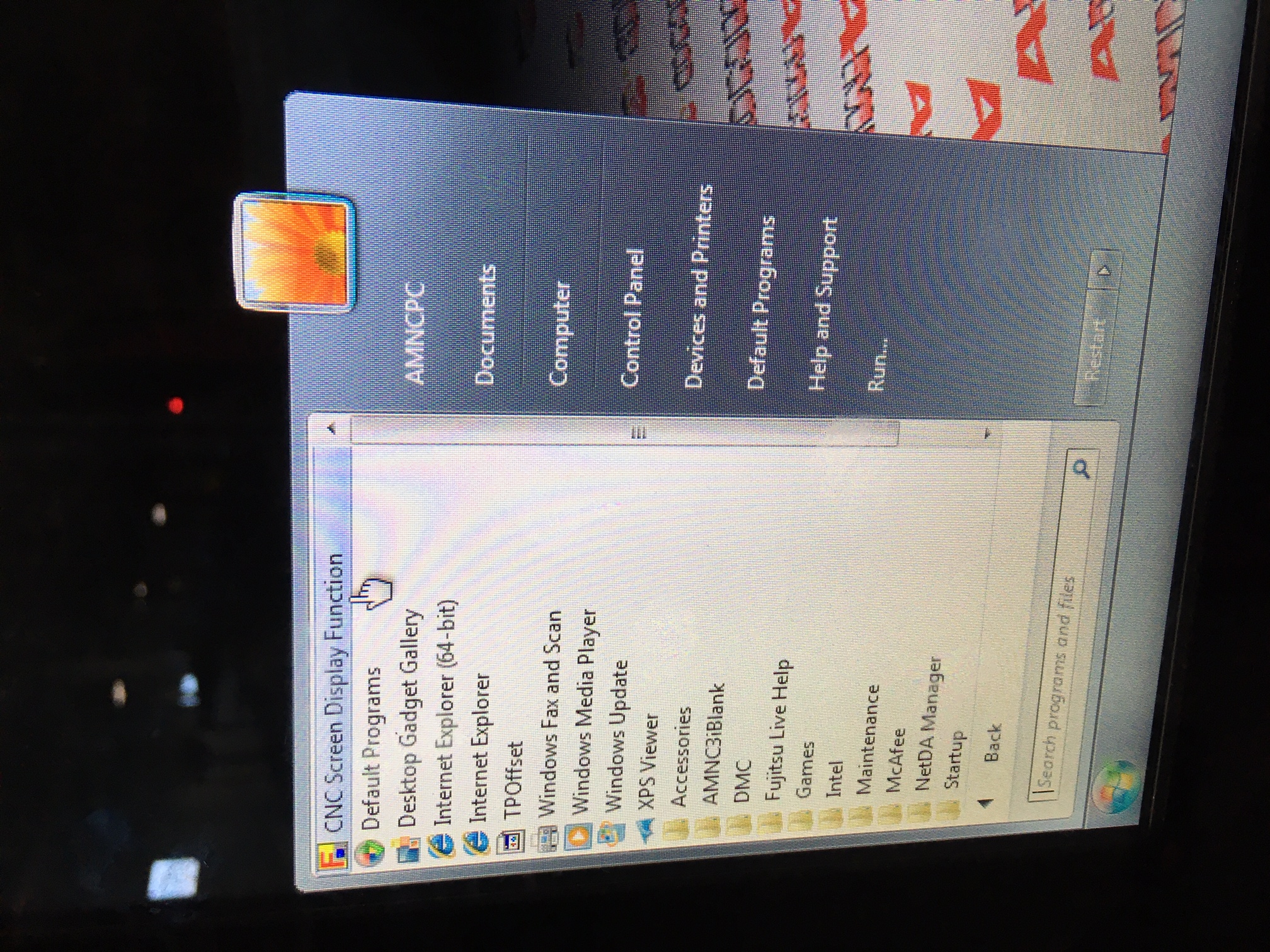
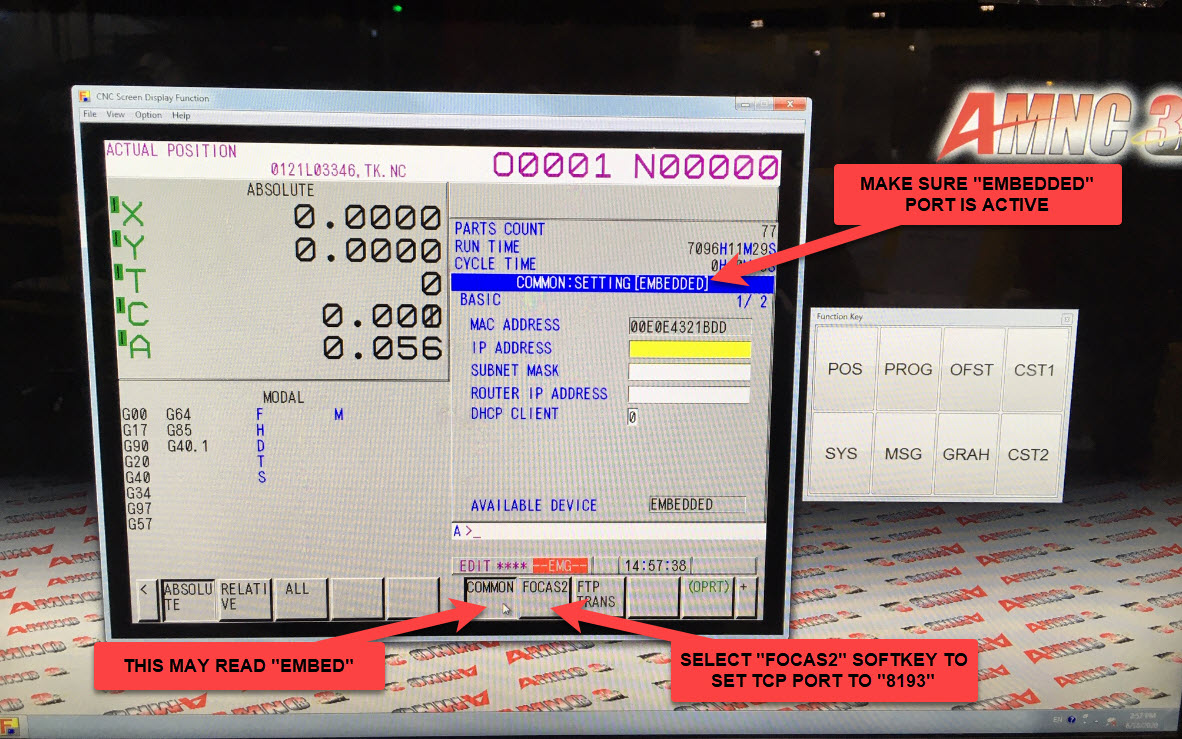
Amada machines running the AMNC-3i interface use a Windows-based PC front-end. To configure the FANUC embedded Ethernet port, launch the CNC Screen Display Function from the Windows Start menu — this gives you direct access to standard FANUC configuration screens:
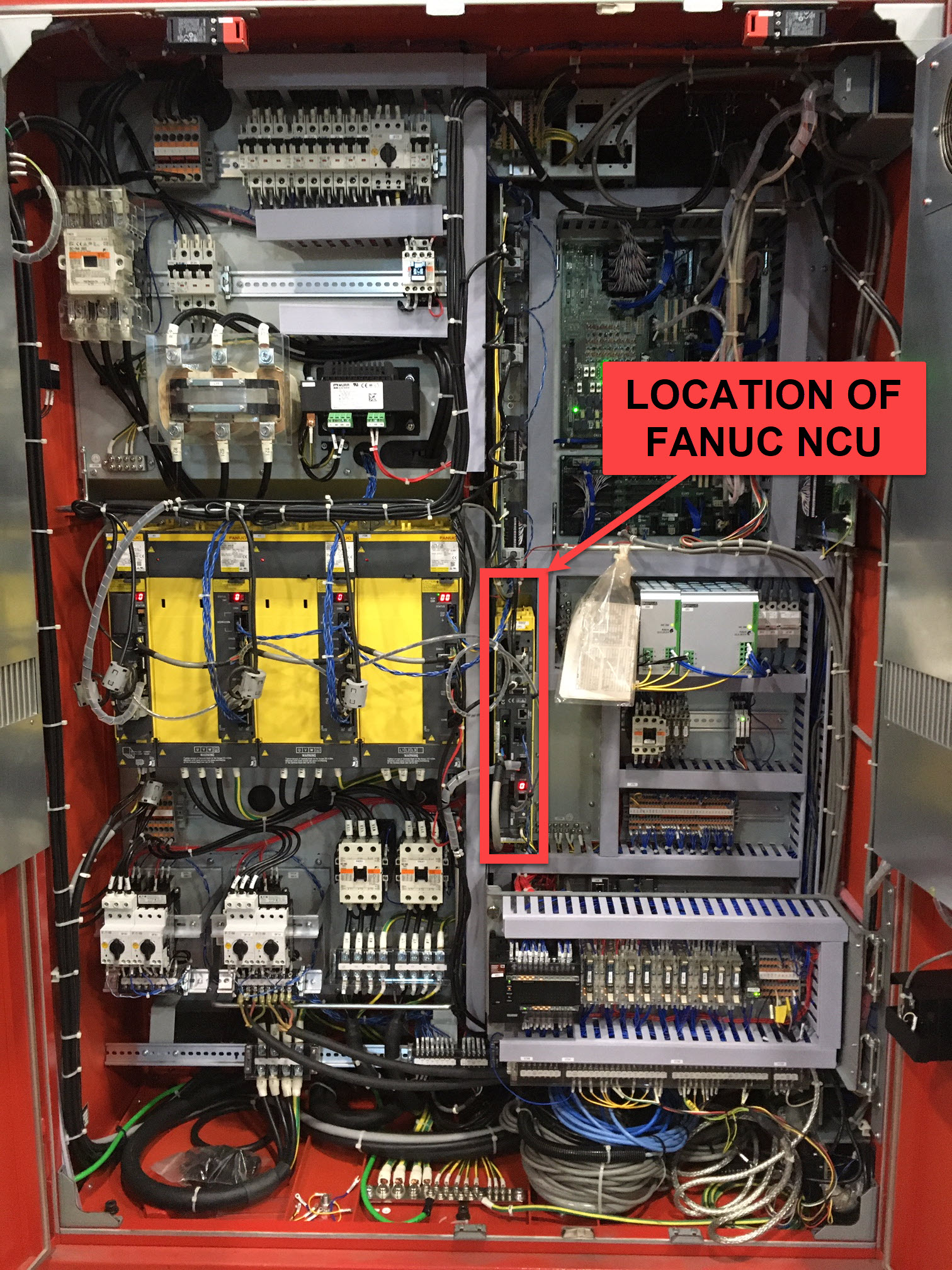
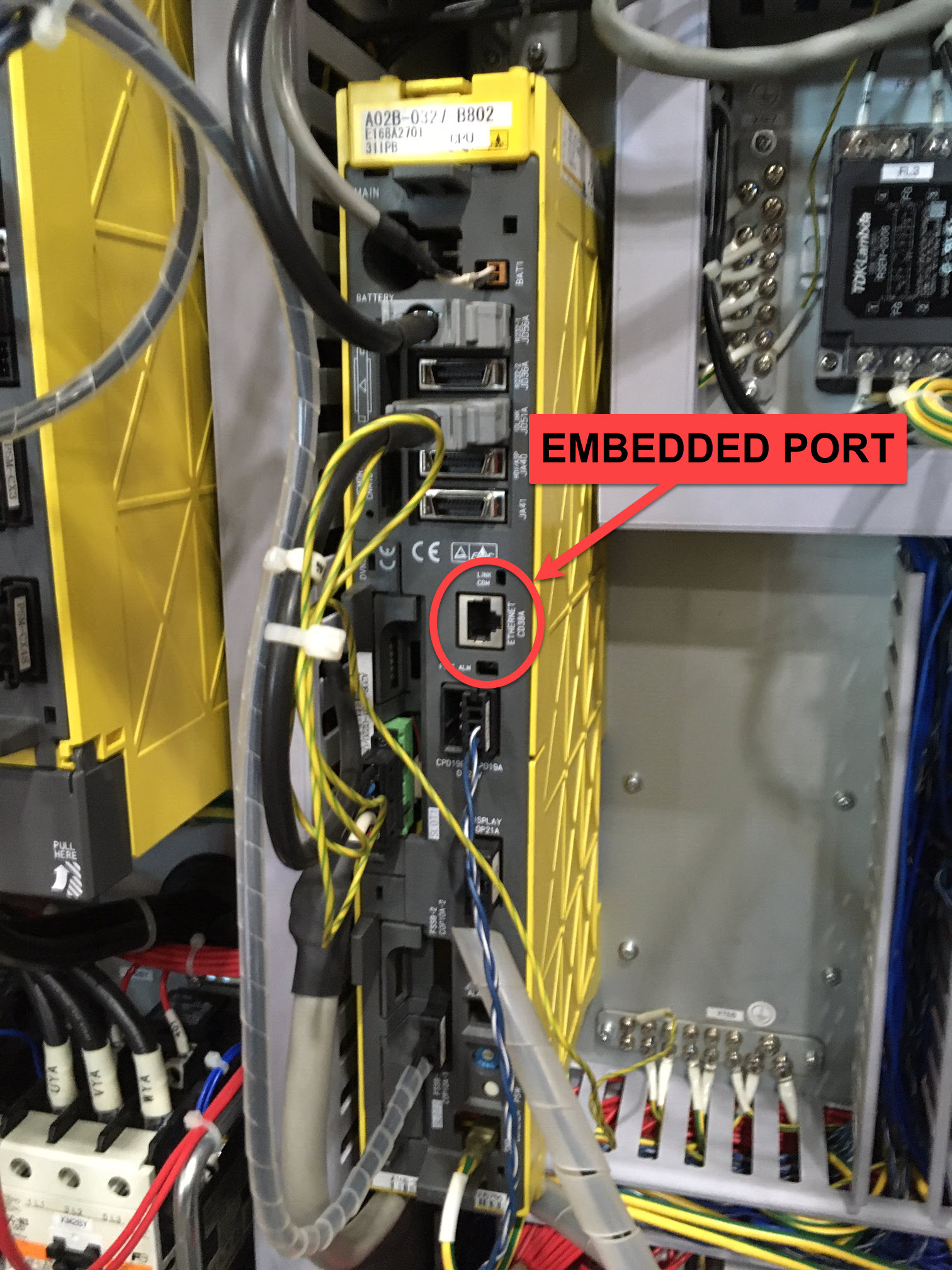
Locating the FANUC NCU in the Electrical Cabinet
Internal Network Consideration:
⚠️ IMPORTANT: Amada machines typically have an internal network connecting multiple peripheral devices (press brake, load/unload systems, safety controllers, etc.) to the FANUC control.
Check CD38A Port Usage:
- Verify if the CD38A (embedded Ethernet) port is already in use
- Look for existing Ethernet connections to the FANUC control
- Check if peripheral devices are communicating via the embedded port
If CD38A Port Is In Use:
We recommend using a dedicated 1:1 Edge device for the Amada machine:
Setup:
- Connect the Edge device to the existing internal network
- The Edge bridges the Amada internal network to your company network
- This preserves the isolated network for all Amada peripheral devices
- Edge provides secure connection to MachineMetrics cloud
Why This Is Important:
- Amada's internal network often uses specific IP addressing
- Peripheral devices may not function if network is disrupted
- A dedicated Edge device prevents network conflicts
- Maintains Amada's safety and control systems isolation
If CD38A Port Is Available:
If the embedded port is not in use, you can connect directly:
- Follow standard FOCAS setup
- Connect Edge device directly to CD38A port
- Configure network settings as normal
Configuration:
- Standard FOCAS setup applies
- Verify M-code configuration with Amada documentation
- Some models may have multiple part counters