Brother Connectivity
How a Brother machine connects depends on its control series, not on anything you choose. Identify the series first; that decides the method, the setup steps and the data you get.
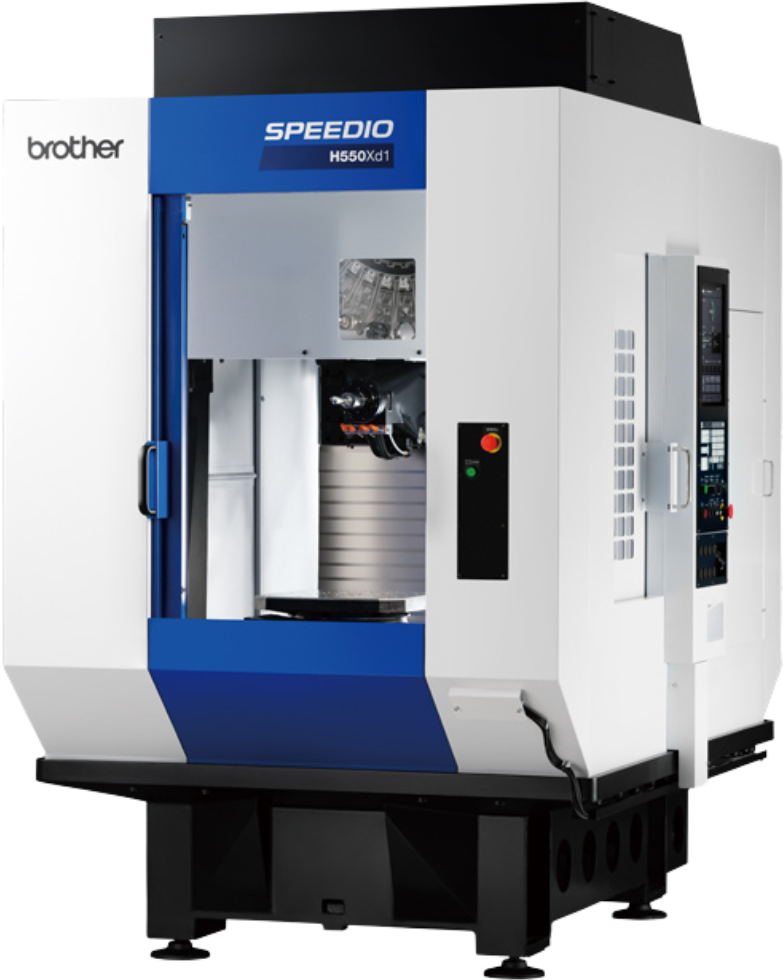
A Brother SPEEDIO H550Xd1. It is the control series behind the panel, not the machine model, that determines how a Brother connects to MachineMetrics.
Which Series Do You Have?
| Series | Connects via | Data you get |
|---|---|---|
| A & B Series | The I/O kit, wired to the control's output terminals | State, part count, alarms |
| C Series (C00) | The Brother Adapter, over Ethernet | Full data set — see the mode table below |
| D Series (D00) | OPC-UA, over Ethernet | Full data set |
Identifying the Series
The series is printed on the control, but the quickest functional test is whether the control can talk over Ethernet at all:
- Press the DATA BANK hard key.
- Look for a Communication Parameter softkey (F6).
- Behind it, look for an Ethernet/FTP tab.
If that tab exists, the control is a C or D Series and connects over Ethernet. If it does not, the machine needs the I/O kit — and that is also the fallback for a C or D Series whose Ethernet port is unusable or already in use.
IP addresses are entered on the control without dots, with each octet padded to three
digits — 172.22.3.34 becomes 172022003034. This applies to both the Brother Adapter and
OPC-UA, and getting it wrong is the most common cause of a Brother connection failing to
come up.
How the Brother Adapter Collects Data
This applies to the C Series, and to a D Series only when OPC-UA cannot be enabled. The adapter reads the control's built-in web interface over HTTP, its FTP server, or both, and which one you pick changes the data you get. Choose a mode before you start, then follow the C Series guide.
| Feature | Mixed Mode (Default) | FTP Mode | HTTP Mode |
|---|---|---|---|
| Execution | ✅ | ✅ | ✅ |
| Part Count | ✅ | ✅ | ✅ |
| Workpiece Counters (4) | ✅ | ✅ | ✅ |
| Alarms | ✅ | ✅ | ✅ |
| Program Number | ✅ | ✅ | ✅ |
| Program Header* | ✅ | ✅ | ❌ |
| Machine Name & Model | ✅ | ❌ | ✅ |
| Controller Mode | ❌ | ✅ | ❌ |
| Feedrate & Spindle Speed | ❌ | ✅ | ❌ |
| Overrides (Rapid/Feed/Spindle) | ❌ | ✅ | ❌ |
| Emergency Stop Status | ❌ | ✅ | ❌ |
| Cutting Status | ❌ | ✅ | ❌ |
| Macro Variables | ❌ | ✅ | ❌ |
| C00 Controls | ✅ | ✅ | ✅ |
| D00 Controls | ❌ | ✅ | ❌ |
*Program Header is required for Production Monitoring.
Mixed Mode (Default) — recommended for C Series
Polls data over HTTP and fetches the program header over FTP whenever the program changes. This is the right choice for most C00 installations: it gives the complete standard data set including program headers, which Production Monitoring needs. Requires an FTP username and password on the machine.
collection-mode: mixed
FTP Mode
Uses FTP exclusively, which yields the richest data set — controller mode, feedrate, spindle speed, override positions, emergency stop, cutting status and macro variables on top of the standard items. Use it on a C Series when you need those extra items or when HTTP access is restricted, and on a D Series only when OPC-UA is unavailable. Requires FTP credentials.
collection-mode: ftp # add `cnc-version: d00` on a D Series
The Brother FTP server allows at most four simultaneous connections and has a single shared data channel. If FTP is also used at your site to transfer programs to the machine, see Adapter Blocked by Another FTP Client.
HTTP Mode
Uses HTTP exclusively and needs no FTP credentials, so it leaves FTP free for program transfers. The trade-off is no program headers, which means no Production Monitoring. Not available on D00.
collection-mode: http
In This Section
| Page | What it covers |
|---|---|
| A & B Series | Wiring the control's output terminals into the I/O kit, programming the outputs and the adapter script |
| C Series | Ethernet/FTP control parameters, adapter configuration in MachineMetrics, and the data items collected |
| D Series | Enabling the OPC-UA server on the control, security settings and verification |
| Troubleshooting | Failed connections, FTP authentication, missing data, D00 quirks and part count problems |
Getting Help
Contact MachineMetrics Support or your Solution Delivery Manager (SDM). Include:
- Brother machine model and control series (A, B, C00 or D00)
- Firmware version
- Connection method, and for the Brother Adapter the mode in use and the
cnc-versionsetting - IP address configured on the control
- Adapter configuration (YAML) and screenshots of any error messages
Related Articles
- Machine Settings — Configure data mapping and part counting
- Connectivity Overview — Compare connectivity methods across all machines
- OPC-UA Connectivity Guide — How the protocol works
- Digital I/O Connectivity — I/O hardware and wiring reference
- Network Requirements — Firewall configuration
- Edge Device Setup — Edge device installation