Haas Connectivity
How a Haas machine connects depends entirely on which control it has. Next Generation controls speak MTConnect over Ethernet. Classic controls need the Haas Serial (MDC) protocol through a serial-to-Ethernet converter. Machines older than about 2001 have neither and have to be wired as Digital I/O.
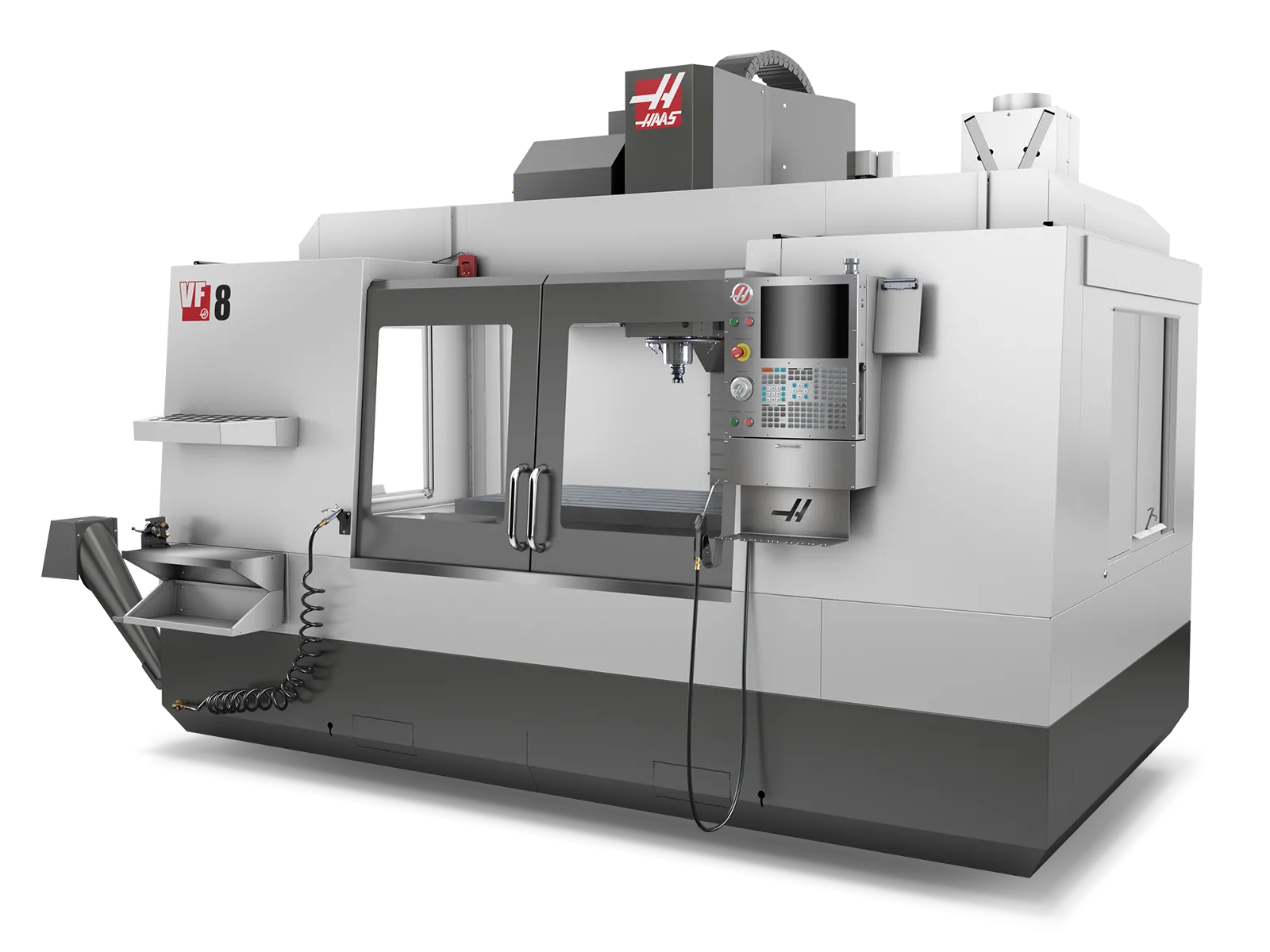
Haas CNC control panel. Haas machines connect via MTConnect (Next Generation controls) or Haas Serial/DPRNT (Classic controls), providing real-time production data and machine status.
| Control Type | Connectivity Method | Port | Hardware Required | Setup |
|---|---|---|---|---|
| Next Generation (2017+) | MTConnect — use this first | 8082 | Ethernet only | Next Gen Control |
| Next Generation (2017+) | Haas Serial (MDC) — secondary, for macro variables | 4001 | Ethernet only | Next Gen Control |
| Classic Control (pre-2017) | Haas Serial (MDC) — your only option | 4001 | Moxa serial-to-Ethernet converter | Classic Control |
| Very Old (pre-2001) | Digital I/O | N/A | I/O module, current transducer, wiring | Digital I/O |
Pre-2001 machines have no Setting 143, so there is no data connection to make — utilization comes from a current transducer on the spindle and part count from a machine signal.
Determining Your Haas Control Type
Use these methods to identify which type of Haas control you have:
Visual Identification
Next Generation Control (2017+):
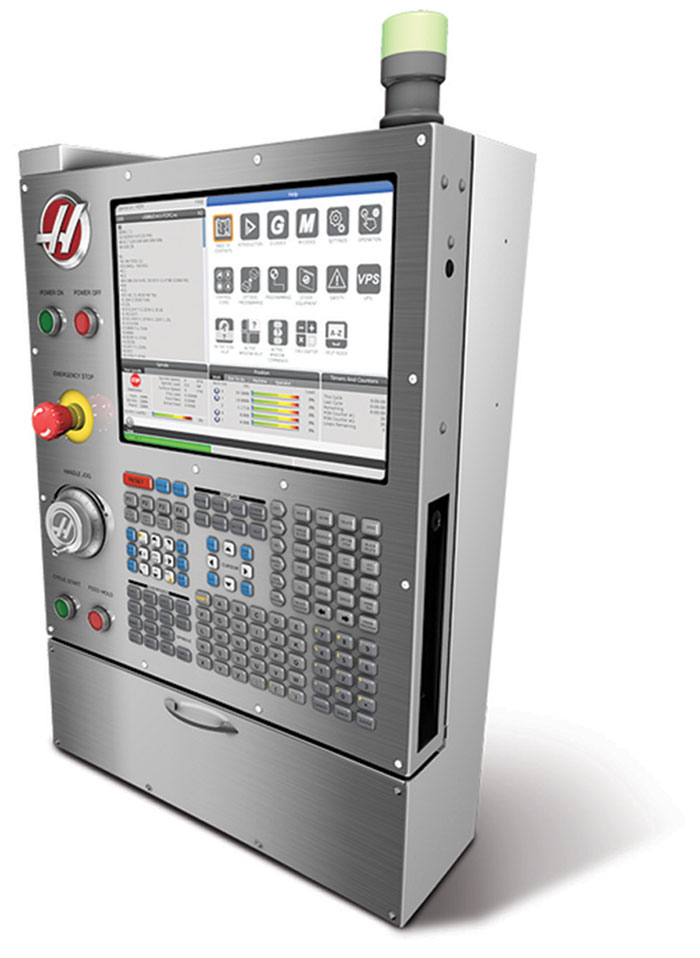
Haas Next Generation control with modern touchscreen interface. Features graphical menus, network settings, and MTConnect capability.
Classic Control (pre-2017) with MDC:
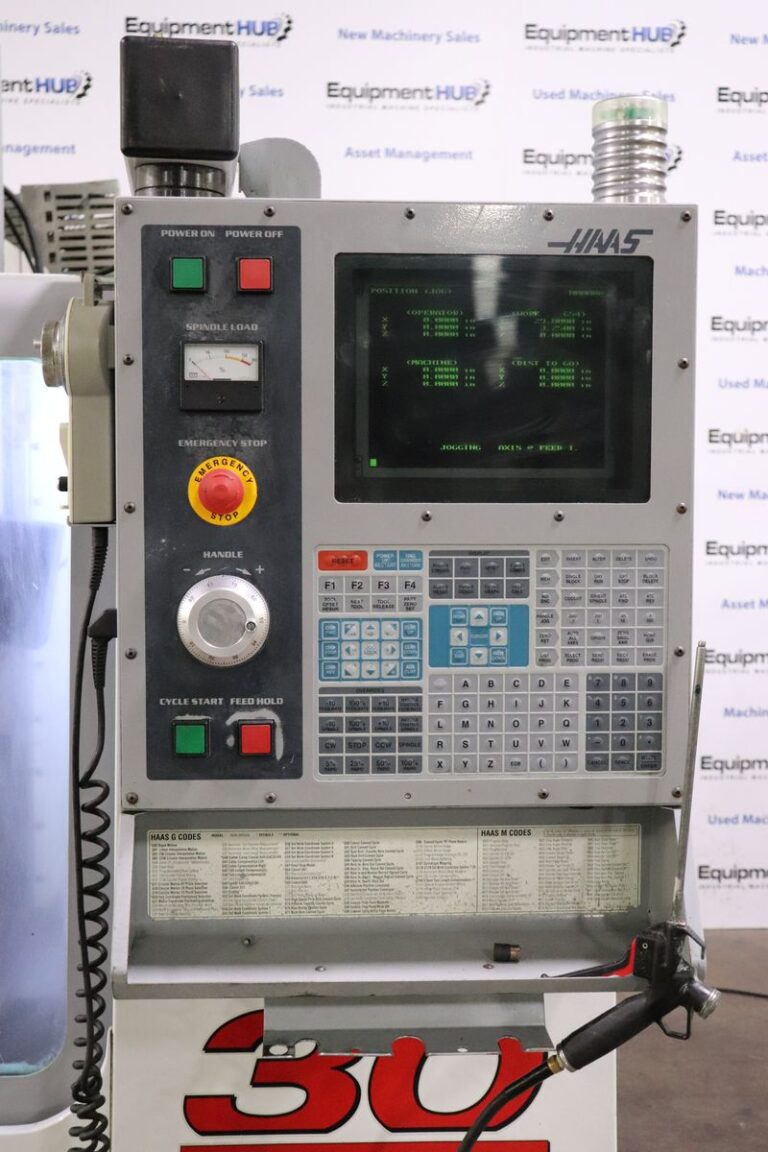
Haas Classic control with text-based interface. Uses Haas Serial (MDC) over RS-232 with Moxa converter.
Classic Control (showing I/O Settings):
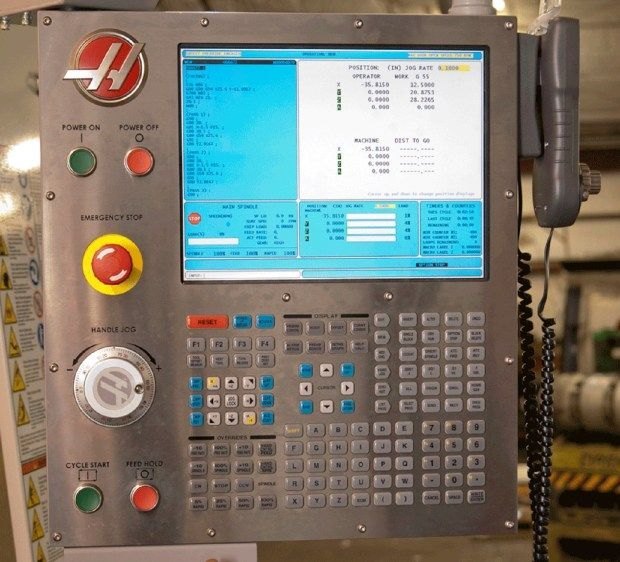
Haas Classic control showing Setting 143 (MACHINE DATA COLLECT) as ON/OFF toggle, indicating Classic control series.
Quick Identification Methods
Method 1: Visual Inspection
- Modern touchscreen with graphical interface = Next Generation Control (2017+)
- Text-based green/blue screen = Classic Control (pre-2017)
- Large touch display with icons = Next Generation Control
Method 2: Check Operator's Manual
- Cover states "Next Generation Control" → Use MTConnect
- No "Next Generation" label → Likely Classic control
Method 3: Check Network Settings
- Press SETTINGS button
- Navigate to NETWORK → WIRED CONNECTION
- Modern network interface with Ethernet settings = Next Gen
- No network section or basic interface = Classic
Method 4: Check Setting 143 (MACHINE DATA COLLECT)
- Press SETTINGS button
- Navigate to I/O or MISCELLANEOUS page
- Find Setting 143 - MACHINE DATA COLLECT
- Numerical value (e.g., 4001): Next Gen Control → Can use MTConnect or Ethernet Serial
- ON/OFF toggle: Classic Control → Use RS-232 Serial with Moxa converter
- Not present: Very old machine → Use Digital I/O instead
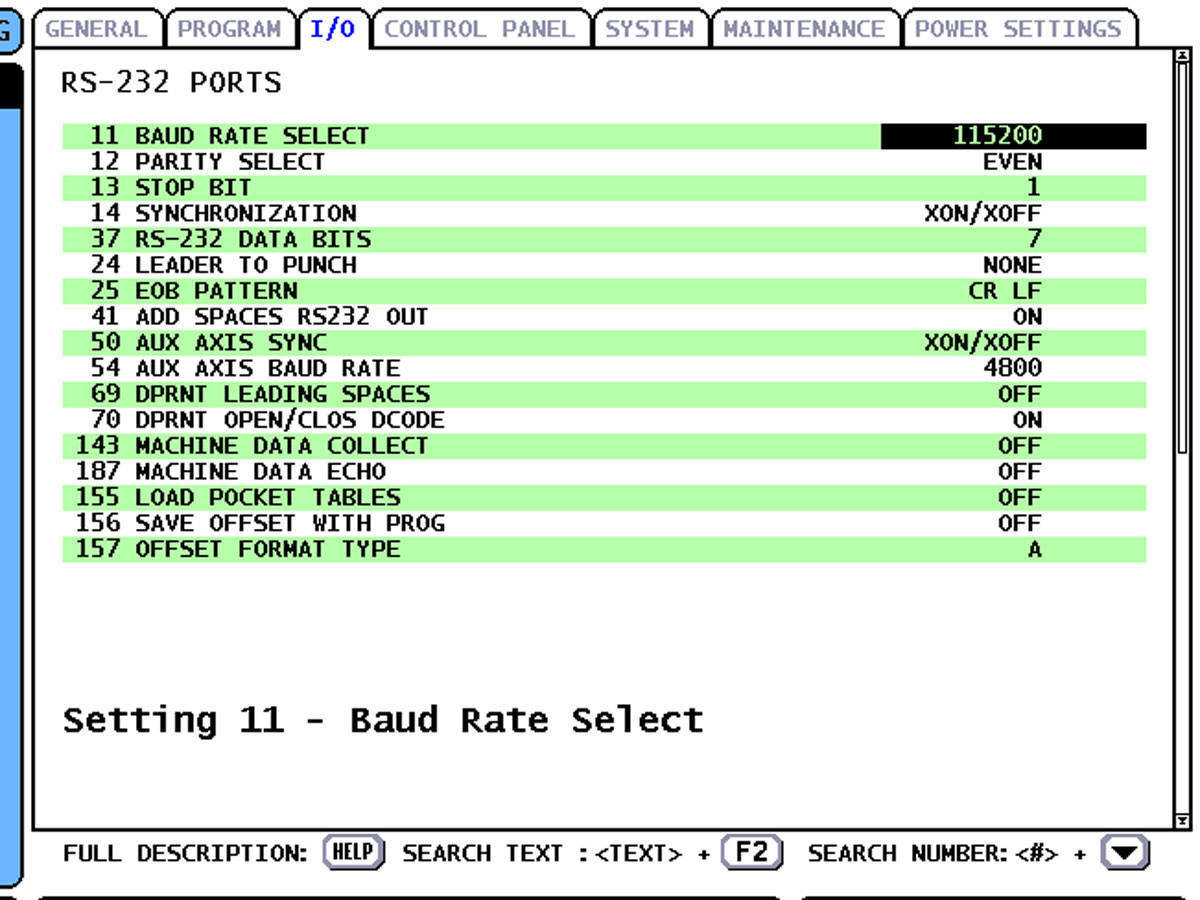
Classic control I/O settings page. Setting 143 appears as an ON/OFF toggle — this confirms you have a Classic control and should use Haas Serial via RS-232. A Next Gen control would show a port number (4001) here instead.
Choosing a Connection Method
Haas Serial uses the MDC (Machine Data Collection) protocol. It is also the transport that DPRNT output travels over, which is why the two names are often used interchangeably.
When to Use Haas Serial
Classic Controls (pre-2017):
- This is your PRIMARY and ONLY connection method
- Classic controls do not have MTConnect
- Uses RS-232 serial port with Moxa serial-to-Ethernet converter
- Provides execution state, program data, and system variables
Next Gen Controls (2017+):
- Use MTConnect as your PRIMARY connection — see Next Gen Control
- Only add Haas Serial as SECONDARY if you need specific macro/system variables not available via MTConnect
- Next Gen Haas Serial uses Ethernet directly (no Moxa needed)
- Most customers only need MTConnect for Next Gen machines
⚠️ Important: If you have a Next Gen control, start with MTConnect. Only add Haas Serial if MTConnect doesn't provide the specific data you need.
Two Physical Connection Types
| Connection Type | Control Type | Primary or Secondary | Physical Hardware | Port |
|---|---|---|---|---|
| RS-232 (via Moxa) | Classic (pre-2017) | Primary - your only option | RS-232 serial cable + Moxa NPort 5110 converter | 4001 (on Moxa) |
| Ethernet Direct | Next Gen (2017+) | Secondary - only for macro/system variables | Ethernet cable only | 4001 |
Both use the same Haas MDC protocol, just different physical connections.
In This Section
| Page | What it covers |
|---|---|
| Classic Control | Pre-2017 controls — RS-232 wiring, Setting 143, the Moxa NPort converter and the adapter |
| Next Gen Control | 2017+ controls — MTConnect setup, Haas Serial over Ethernet, and running both together |
| Part Count | Counting parts for single-cycle, M99 looping and multi-part programs |
| Macro Variables | The system and macro variable reference, and how to collect them on each generation |
| DPRNT | Sending custom data — program headers, generic strings and numeric values — from the program itself |
| Troubleshooting | MTConnect and Haas Serial faults, and conflicts between the two |
Quick Reference: Haas Connection Decision Tree
Do you have a Haas machine?
  │
  ├─→ YES: What control type?
  │    │
  │    ├─→ Next Generation Control (2017+)
  │    │     │
  │    │     ├─→ Primary: MTConnect (port 8082)
  │    │     │     └─→ Provides: execution, program, speeds, positions, alarms
  │    │     │
  │    │     └─→ Secondary (optional): Haas Serial (port 4001)
  │    │           └─→ Provides: macro variables, system variables
  │    │           └─→ Add transform to deny RunStatus
  │    │
  │    ├─→ Classic Control (pre-2017)
  │    │     └─→ Haas Serial via RS-232 + Moxa converter
  │    │           └─→ Setting 143 ON, 38400 baud, Even parity
  │    │           └─→ Configure macro variables for additional data
  │    │
  │    └─→ Very Old (no Setting 143)
  │          └─→ Use Digital I/O connectivity instead
  │
  └─→ NO: See other connectivity guides
Need help? Contact MachineMetrics Support or ask Max AI in-app.
Additional Resources
Official Documentation
- Haas Operator's Manual - System Variables Reference (included with machine)
Related MachineMetrics Guides
- MTConnect Connectivity Guide - General MTConnect setup
- Adapter Scripts - Creating transforms to filter/combine data
- Machine Settings Guide - Configuring data mapping in MachineMetrics
Haas Resources
- Haas Operator's Manual (included with machine)
- Haas Setting 143 documentation
- Haas MTConnect implementation guide
Hardware Resources
- Hardware Buying Guide - Order Moxa converters and Edge devices
- Moxa NPort 5110 User Manual
- Moxa Device Search Utility (Windows software)