General Information Tab
Use this tab to define core attributes of the machine.
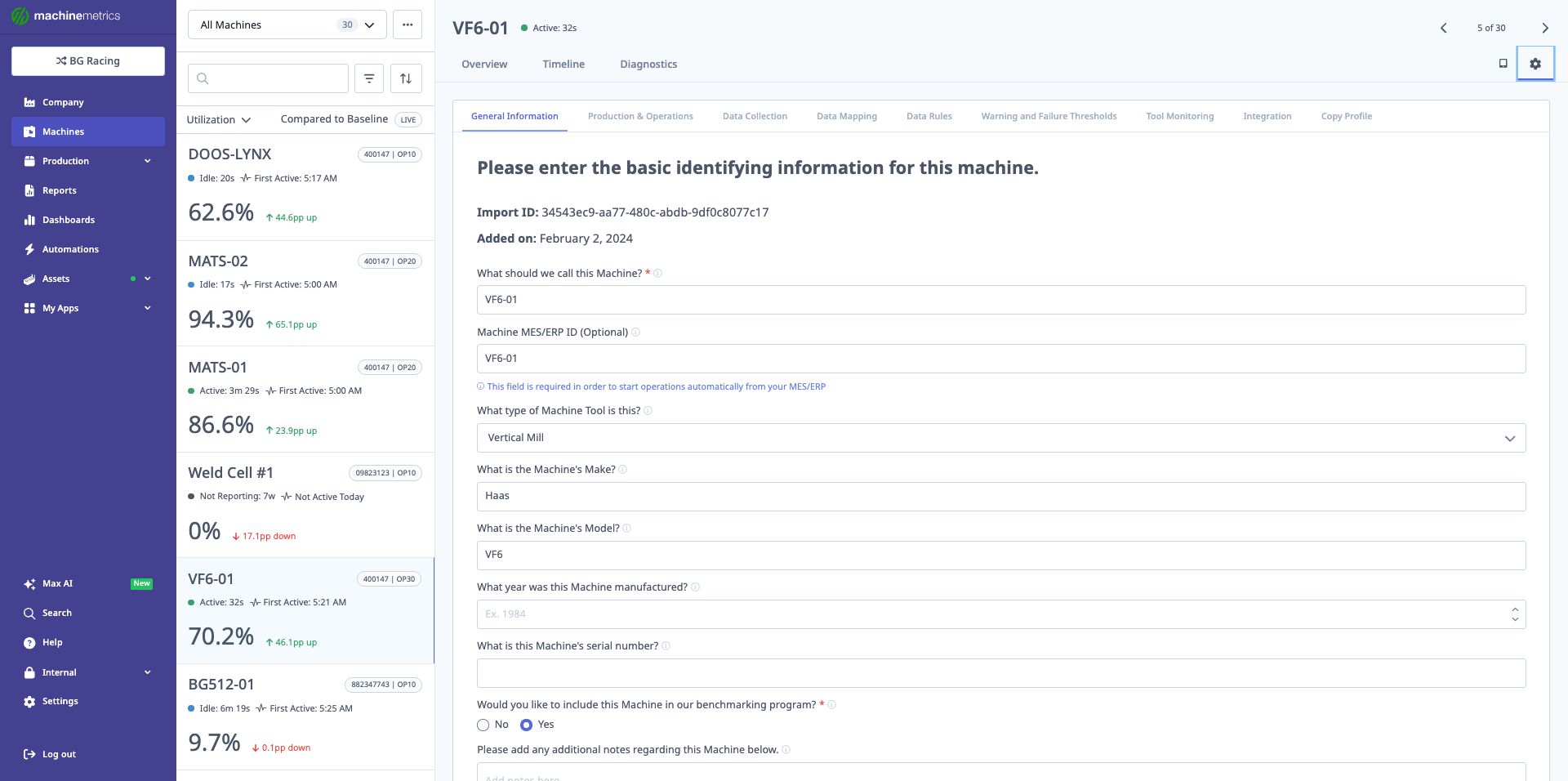
The General Information tab is where you enter basic identifying information for the machine, including machine name, ME/ERP ID, machine type, make, model, manufacturer, serial number, and whether to include the machine in benchmarking programs. This screenshot shows a sample machine (VF6-01) with its configuration details.
Core Fields
-
Machine ID
- System-generated identifier for the machine.
-
Date Added
- Timestamp when this machine was added to the account.
-
What should we call this machine?
- Human-friendly name and primary identifier for this machine.
- Use a naming convention meaningful to your operation.
-
What type of machine tool is this?
- Select the type:
- Mill
- Lathe
- CMM
- PLC
- Etc.
- Select the type:
-
What is the machine's make and model?
- Important for:
- Troubleshooting
- Support
- Determining likely connection methods
- Important for:
-
What year was the machine manufactured?
-
What is the machine's serial number?
- Useful if MachineMetrics needs to contact the machine tool builder on your behalf.
Benchmarking Program
- Include this machine in the benchmarking program?
- Enables anonymous comparison with all machines of the same type in MachineMetrics.
- Data (e.g., utilization) is anonymized and aggregated.
- Supports industry performance reporting without revealing customer identity.
Notes and Schedule
-
Notes regarding this machine
- Free-text field for:
- Setup notes (e.g., "in its own cell", "in a Fastems cell")
- Attached devices or automation
- Any information that helps with troubleshooting or context.
- Free-text field for:
-
Machine Schedule
- Assign the schedule this machine follows.
- Schedules are created in System Settings.
- Controls expected operating times and schedule-based reporting.
Controller and Decommission
-
Controller Make/Model
- Specify controller manufacturer and model.
- Supports:
- Connection selection
- Troubleshooting
-
Decommission
- Located at the bottom-left.
- Removes the machine from your active machine list when it is no longer in service.
- See Decommissioning and Re-Adding Machines for important details before using this option. Decommissioning cannot be undone — the machine must be re-added as a new record.