Data Collection Tab
Define how the system connects to and reads data from the machine.
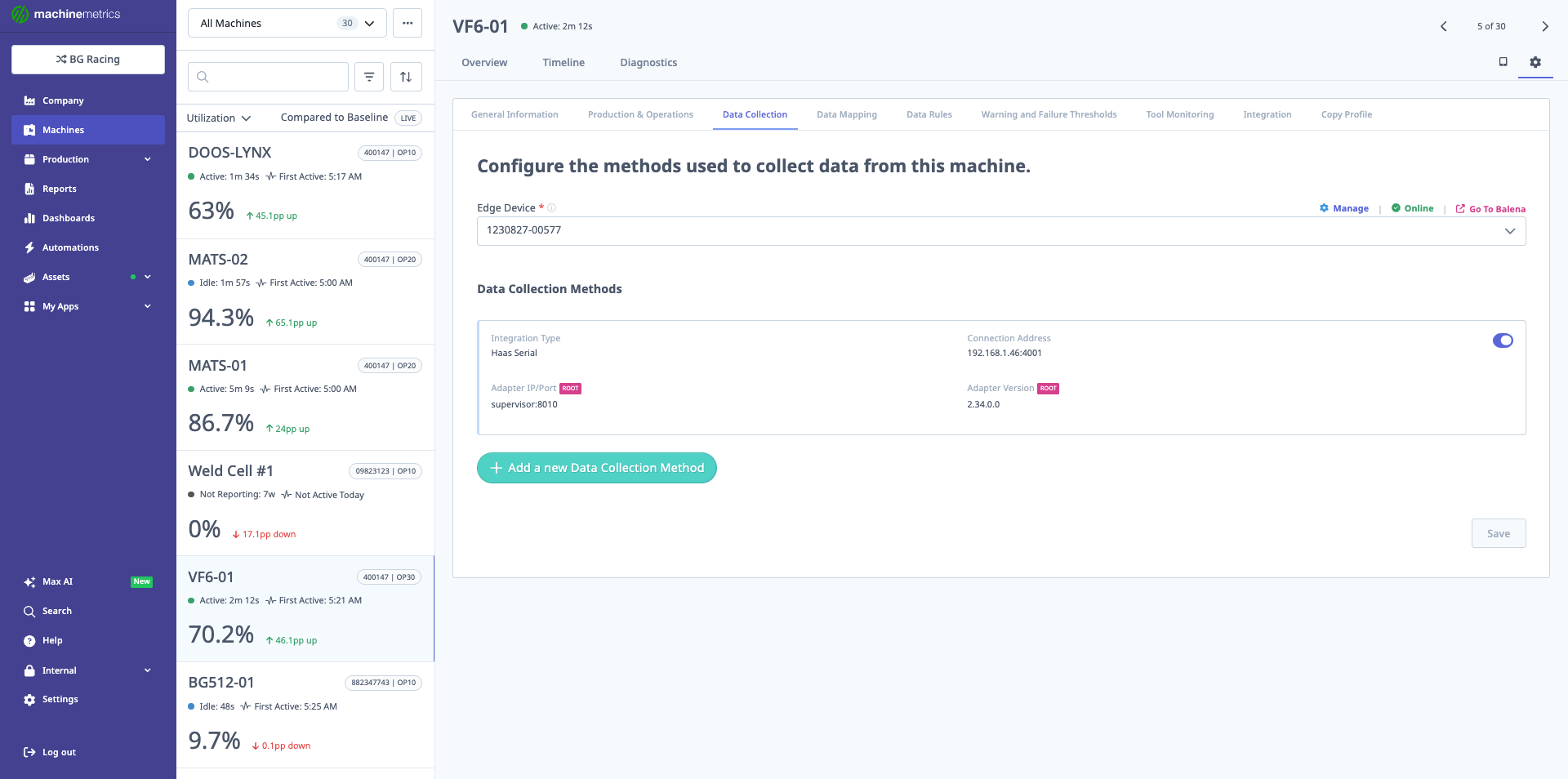
The Data Collection tab shows the configured adapters for the machine. In this example, a Haas Serial integration is configured at IP 192.168.1.46:4001 with adapter version 2.34.0.0, along with a supervisor adapter at port 8036. This tab is where you add, manage, or delete data collection methods.
Adding a New Data Collection Method
- Open the Data Collection tab.
- Click Add a new data collection method.
- Use the dropdown to select one of the supported connection types, such as:
- Allen Bradley
- Brother
- Citizen M700
- Digital IoT
- Ethernet/IP (for Allen Bradley)
- FANUC FOCAS
- Heidenhain
- IO-Link
- JSON HTTP
- Mitsubishi M70 / M80 / M800
- Modbus
- MQTT
- MTConnect Adapter
- MTConnect Agent
- OPC UA
- Siemens Step 7
- Universal Robot
- Transform
Machine Connections (All Types Except Transform)
For standard machine connections:
- You must provide:
- Connection address (IP, URL, or endpoint).
- Many connections require:
- An adapter script, which:
- Handles reading data from the controller or PLC.
- Publishes metrics in a format MachineMetrics understands.
- An adapter script, which:
For adapter scripts and examples:
- Refer to the Machine Connections section of the MachineMetrics Support Portal.
Transforms
Transforms are a special type of data collection entry:
- They do not connect directly to a machine.
- Instead, they process data coming from an existing adapter.
Transforms follow In → Process → Out:
-
In
- Declare keys that identify which incoming data items you will use.
-
Process
- Use variables and built-in operators to:
- Combine data.
- Perform calculations.
- Derive new signals.
- Use variables and built-in operators to:
-
Out
- Define output data items.
- These output items appear like standard data items and can be:
- Mapped in Data Mapping.
- Used for part counting, program logic, or analytics.
Transforms enable advanced customization of your machine data.