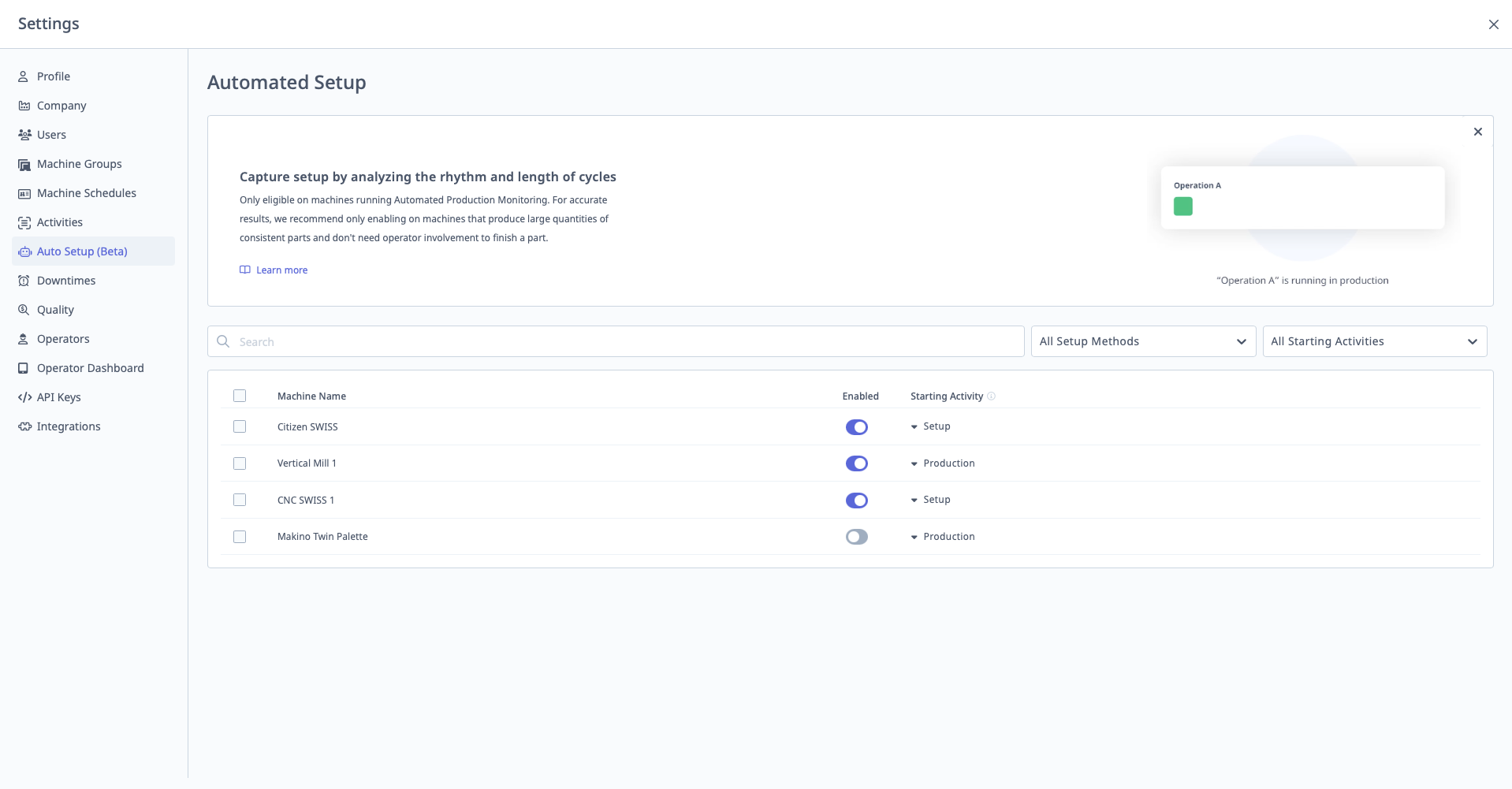
Auto Setup
What is Auto Setup?
Auto Setup automatically transitions machines from Setup to Production mode based on cycle consistency when using APM (Automatic Production Monitoring).
Access: Settings → Auto Setup
Who Can Manage: Managers, Executives, IT Admins
Prerequisites:
- Machine must use APM (Automatic Production Monitoring)
- APM typically used with machines reporting program headers via Ethernet (FOCAS, MTConnect, OPC-UA)
How Auto Setup Works
Automatic Workflow:
1. Job Change Detected (via APM)
- Machine program changes (new part number/operation detected)
- APM creates new Production Run
- Auto Setup activates: Machine automatically enters Setup mode
2. Consistent Parts Detected
- MachineMetrics monitors cycle times
- Once cycle times stabilize and become consistent
- Auto Setup deactivates: Machine automatically switches to Production mode
3. Next Job Change
- Process repeats for next operation
Example:
Time: 8:00 AM - Program changes to Part ABC-123
Action: Auto Setup puts machine in Setup mode

Time: 8:00 AM - 8:30 AM - Operator sets tools, runs first articles (cycle times variable)

Time: 8:30 AM - Cycle times stabilize at ~120 seconds
Action: Auto Setup switches machine to Production mode

Time: 8:30 AM - 2:00 PM - Production runs (cycle times consistent)

Time: 2:00 PM - Program changes to Part XYZ-789
Action: Auto Setup puts machine back in Setup mode
Benefits
- No Operator Input Required: Automatic tracking of setup vs. production
- Accurate Setup Time: Based on actual cycle consistency, not manual operator selection
- Reduced Operator Burden: One less thing for operators to remember
Enabling Auto Setup
Step-by-Step:
- Navigate to Settings → Auto Setup
- Select machines to enable Auto Setup (must have APM enabled)
- Toggle Enable Auto Setup for each machine
- Click "Save"
Bulk Enable:
- Select multiple machines
- Click "Enable All"
Limitations
Auto Setup Requires:
- APM (Automatic Production Monitoring) enabled
- Machine with consistent cycle times
- Program header data from machine
Not Compatible With:
- Manual operation start/stop (non-APM machines)
- Highly variable cycle times
- One-off jobs or prototype runs
See Also: Automated Production Monitoring (APM) Guide